
The security style is evolving significantly and now we are faced with the dilemma of “Comparing Two-Factor Authentication and Passkeys: Which is More Secure?” There are users and organizations that concern about the security of their accounts. Both methods will work to reduce a cybercriminal successfully accessing your account, but they differ in how they work.
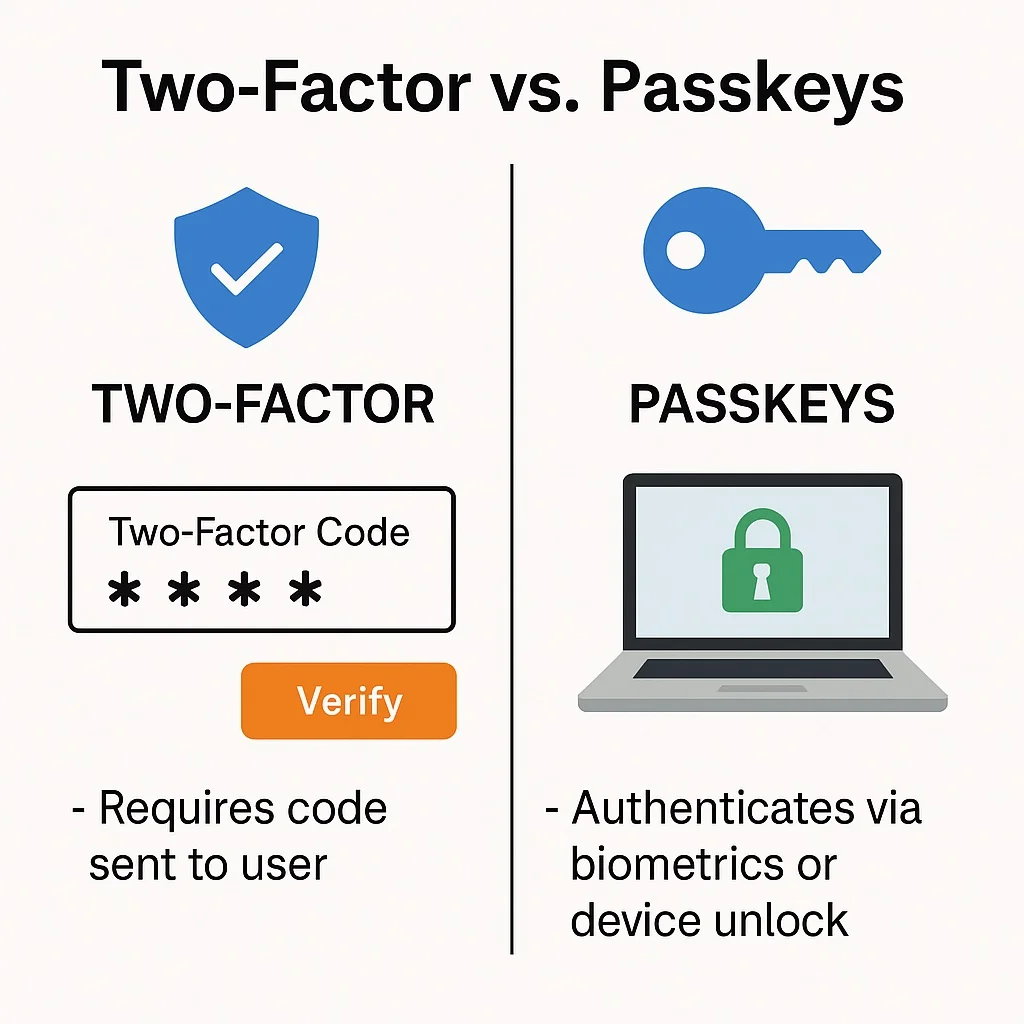
Below is an article-like evidence-based summary of how they work, what they do well, and which is the best approach to protect your identity in 2025.
What is Two-Factor Authentication?
Two-Factor Authentication (2FA) is a way to improve security on your account by leveraging two factors. Typically, this means something that you know (a password) and something that you have (a time-sensitive code delivered via SMS, email, or authenticator app). Its popularity is due to the fact it offers yet another layer of security: it is one thing for an attacker to obtain your password, it is another to obtain the second factor.
Common 2FA methods are:
- Codes sent via SMS and/or email.
- Time-based one-time password (TOTP) provided via authenticator apps.
- Physical security key
- Biometric scans (e.g., finger scan)
However, 2FA is not impervious to failure. SMS or email codes are susceptible to phishing attacks, SIM swapping, and other forms of interception. Additionally, the process can feel cumbersome to users, and provide multiple steps every time they log in can deter use.
What is a Passkey?
Passkeys are a new generation of login that is meant to completely replace the use of passwords. Passkeys use cryptographic keys – a public key that resides with the service provider, and a private key which is located on your device – encrypted, and typically unlocked using biometrics (such as a fingerprint or facial scan), or device PIN. Passkeys follow FIDO2/WebAuthn standards and bring the user an actual passwordless experience.
In a Passkey:
- A user will never enter a password or authentication code.
- A verification is seamless, using a single tap or touch for biometric.
- Private keys will remain on the device and are not intercepted, which provides an additional level of security as replay attacks (user credential or captcha) and breaches with unauthorized access are not possible.
Passkeys afford users an easy-to-use experience combined with a level of security against phishing attacks, as there is no code or password stolen or intercepted.
Security Comparison: 2FA vs. Passkeys
| Feature | Two-Factor Authentication (2FA) | Passkeys |
| Password Use | Required (and vulnerable) | None—entirely passwordless |
| Phishing Risk | High (codes/passwords can be stolen) | Very low (no code/password to steal) |
| Interception Vulnerability | SMS/email codes can be intercepted | Keys never transmitted; biometric/device-based |
| Convenience | Cumbersome (multiple steps) | Seamless, one-tap/scan |
| Offline Usage | Limited (may need network/SMS) | Yes, device local authentication |
| Scalability | High (supported everywhere) | Growing rapidly (major sites/apps) |
| Compliance (e.g. PSD2 SCA) | Meets minimum standard, but attack-prone | Meets and exceeds requirements, phishing-resistant |
Passkeys can provide stronger protection, particularly against phishing, replay, or interception attacks. Two-factor authentication is still critically important in the case that passwordless authentication is not available, but because they will rely on codes and passwords that are always susceptible to being compromised, those weaknesses will ultimately be addressed with modern passkeys.
User experience: Streamlined security or added friction?
When we survey users, they almost always say they want security experiences that are seamless. Users want passkeys: automated authentication, no memorization, no entry, and reduced login friction. Two-factor authentication, by its nature, creates friction: entering passwords, waiting codes to arrive, switching apps or devices. This adds layers of frustration, which result in lower adoption rates, workarounds (using a similar password or weak code), or simply lose all security and leverage single-factor password login, even when the option exists to use richer authentication.
Since most passkey systems leverage some combination of the phone’s built-in security (Face ID, fingerprint, and/or a PIN), the authentication feels just as natural as unlocking the device itself. Passkeys are true convenience without sacrificing any security.
Real-World Adoption & Future Trends
Passkeys will be increasingly available across major platforms, including Google, Apple, Microsoft, and all banking and services that support client applications. While passkey is the future of authentication, two-factor authentication will still play a critical role for many legacy systems, apps, or users in regions that do not support passkey. Not to overstate, but the recommendation from the experts is to enable passkeys anywhere you can and maintain 2FA or multi-factor as a current option to bring online accounts in sync until convert everything to be passkey-based.
Security professionals think that even variability of passkey multi-factor on device authentication will be the standard over time for consumer customer login experiences, with ultra-sensitive cases remaining as the exception case.
In the two-factor and passkeys debate, passkeys offer the highest practical security and efficiency for the majority of users, therefore where supported passkeys are the safest choice for living safely in a digital life.