
Google is betting that the next wave of personal computing won’t be defined by a traditional operating system, but by an AI that sits at the center of everything you do. Its new Googlebook laptops, unveiled this week, are the first machines “designed for Gemini Intelligence,” blending Android and ChromeOS into what the company calls an “intelligence‑based computing” experience. With a new OS, a Gemini‑powered “Magic Pointer” and tight Android phone integration, Googlebook marks the most ambitious attempt yet to turn a cloud AI assistant into the organizing principle of a PC.
A new kind of laptop, built for Gemini
In a blog post titled “Introducing Googlebook, designed for Gemini Intelligence,” Google positions the new machines as a fresh category, not just another Chromebook line. “More than 15 years after launching Chromebooks, we’re introducing Googlebook, designed for Gemini Intelligence,” the company writes, calling it a laptop “built with Gemini’s helpfulness at its core” and engineered to “work seamlessly with Android phones.”
Where Chromebooks were optimized for a cloud‑centric era built around the Chrome browser, Googlebook is pitched as a device for an “intelligence‑driven” era, with Gemini models running locally and in the cloud to power proactive assistance across the system. The machines run a new software foundation that merges Android’s app ecosystem with ChromeOS‑style management and browser capabilities, under an operating system codenamed “Aluminium OS.”
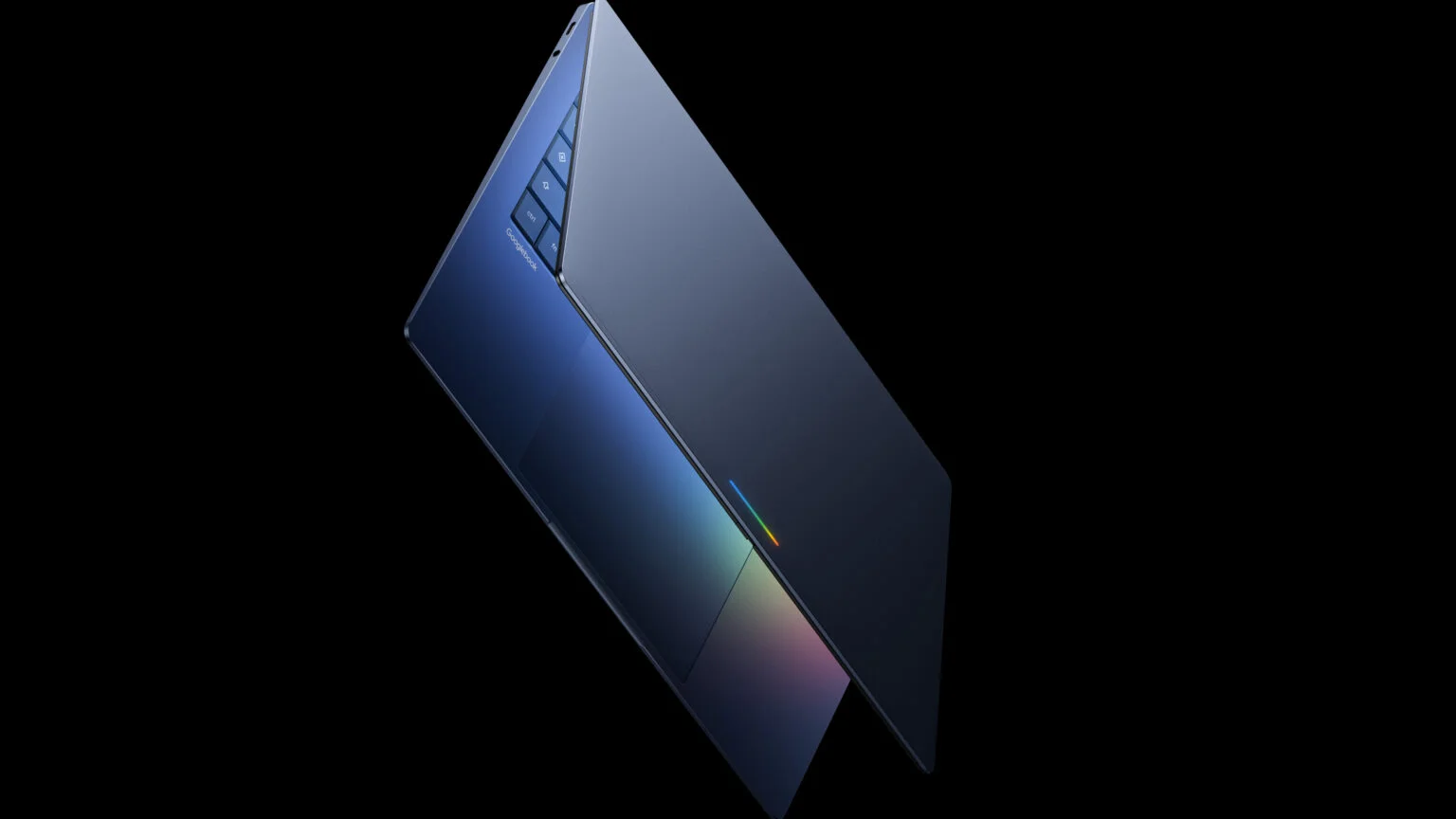
Google says the first Googlebooks will ship later in 2026 through hardware partners including Acer, ASUS, Dell, HP, and Lenovo, in a range of “premium craftsmanship and materials” and form factors. Each will feature a distinctive “Glowbar” light strip on the lid, signaling that it’s a Googlebook and lighting up when Gemini is actively working in the background.
The Magic Pointer: an AI‑powered cursor
The headline feature is the Magic Pointer, a reimagined cursor that functions as an always‑available Gemini control surface. Instead of simply pointing and clicking, users can “wiggle” the pointer or tap a dedicated Gemini key to activate contextual tools tied to whatever is on screen.
Google and early hands‑on reports describe several core abilities:
- Ask: Pointing at text, dates, files, or interface elements and asking a question in natural language. For example, hovering over a date in an email and asking, “Can you set this up as a meeting?” creates a calendar event.
- Compare: Selecting two items, such as documents, spreadsheets, or images, and asking Gemini to highlight differences or similarities, useful for version control or design reviews.
- Combine: Lassoing multiple images or pieces of content to generate previews, mood boards or summary documents, with Gemini building composites or summaries on the fly.
PCMag notes that Googlebooks are “the first machines crafted from the ground up to harness Gemini Intelligence,” and that the Magic Pointer “puts AI front and center” by making Gemini the default way to act on on‑screen context. CNET, which saw early demos, says the pointer “turns the whole screen into a prompt” by allowing users to gesture at what they need help with instead of manually copying, pasting, or describing it.
A dashboard you build by prompting
Another core concept is a prompt‑built dashboard. Googlebooks ship with a feature called “Create your Widget,” which lets users ask Gemini to assemble customized panels of information and controls, all rendered as interactive desktop widgets.
TechCrunch reports that Gemini can pull from Google services such as Gmail, Calendar, and Drive, plus the web, to create a unified dashboard in response to a simple prompt. For instance, a user planning a family reunion in Berlin could tell Gemini to “create a reunion dashboard,” and the system would surface flights, hotel bookings, restaurant reservations and a countdown in one place.
The idea is to shift away from manually arranging multiple apps and tabs, and toward AI‑composed “control centers” that update as plans evolve. Mashable describes Googlebook as “a hybrid of Chrome and Copilot+,” arguing that the widget system and Magic Pointer together point toward laptops that feel less like static desktops and more like “living” workspaces.
Deep Android phone integration
Googlebook is also a bid to build the ultimate laptop for Android fans. CNET writes that the devices “could be the ultimate laptop for Android fans,” citing tight phone integration as a defining feature.
Key capabilities include:
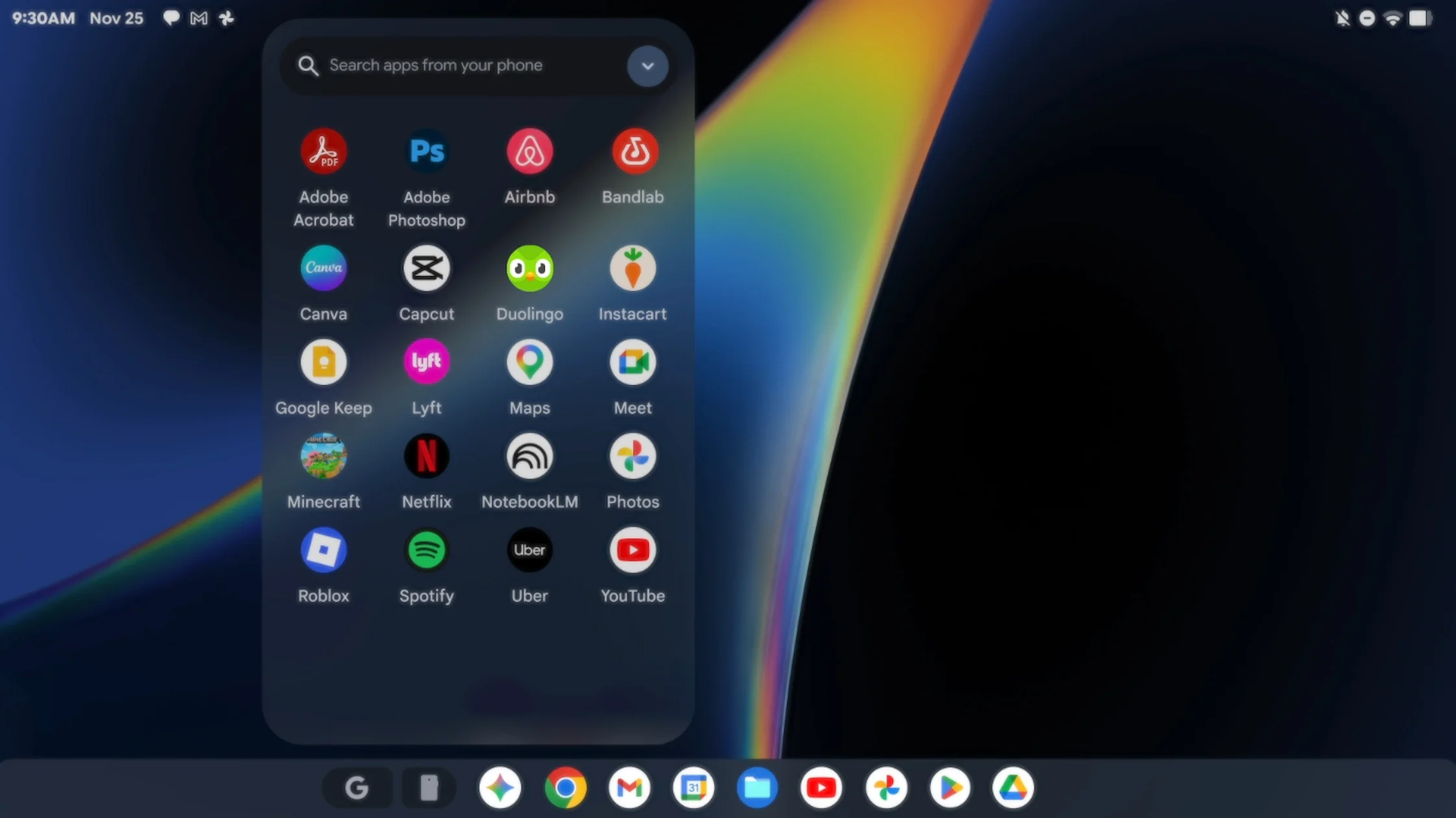
- Quick Access: A file‑browser view inside Googlebook that lets users view, search and insert files stored on their Android phone directly on the laptop, without manual transfers.
- App casting: The ability to stream Android apps from phone to laptop, effectively using the Googlebook as a bigger screen and input surface for mobile‑only workflows.
- Unified notifications and controls: While details are still emerging, Google hints that Gemini can manage notifications and settings across devices so that actions on one screen are reflected on the other.
That level of integration is a direct play against Apple’s Mac‑iPhone ecosystem and Microsoft’s Windows‑Android bridges, but with Gemini as a unifying layer that can see and act across both devices.
Hardware and OS: Aluminium, Glowbar and partners
Under the hood, Googlebook runs an OS that blends core elements of Android and ChromeOS, tied together in what some reports call Aluminium OS. Wikipedia and data‑driven news sites describe it as the successor to Chromebooks and Pixelbook Go, designed to support full Android apps from Google Play alongside robust web‑centric workflows.
Hardware specifics vary by manufacturer, but Google has signaled a few common traits:
- Featherweight designs with thin profiles and light chassis, emphasizing portability.
- A Glowbar light strip on the lid, which pulses when Gemini is working or when notifications arrive, giving a subtle external indicator of activity.
- Premium displays and modern port arrays, with YouTube reviewers highlighting high‑refresh‑rate screens, multiple USB‑C ports, and dedicated Gemini keys on the keyboard.
Google is not building all the hardware itself. Instead, it is partnering with established PC makers, Acer, ASUS, Dell, HP and Lenovo, to produce the first wave of Googlebooks. PCMag and TechCrunch note that Intel is “right at the center of it,” suggesting that early models will rely heavily on Intel mobile processors optimized for on‑device AI workloads.
How Googlebook fits into the AI PC race
Googlebook’s debut places it squarely in the emerging AI PC category, alongside Microsoft’s Copilot+ PCs and Apple’s increasingly AI‑heavy Macs. Where Microsoft is embedding its Copilot assistant deeply into Windows and PC hardware, Google is taking a more radical approach: building a new laptop line where the OS itself is framed as an “intelligence system,” with Gemini co‑pilot capabilities woven into basic cursor and window operations.
Analysts quoted by PCMag and tech blogs argue that the move is both defensive and ambitious: defensive, because Chromebooks risked being outflanked by AI‑enhanced Windows devices; ambitious, because Google is asking users to accept a more proactive laptop that constantly interprets what is on screen.
For developers and IT departments, Googlebook raises practical questions. Existing web and Android apps should run with minimal changes, but to fully exploit Magic Pointer and Gemini dashboards, developers will likely be nudged to expose more structured data and actions that AI can call. Enterprise buyers will also weigh how deeply they are comfortable letting a cloud‑connected AI see on‑screen data, even with promised privacy controls.
What it could mean for everyday computing
For users, the promise of Googlebook is straightforward: less manual drudgery, more AI‑assisted flow. Instead of juggling windows and copy‑pasting text into a chatbot, you point at what you care about and let Gemini act on it; instead of wiring up multiple apps to track a project, you ask the system to build a custom dashboard.
If it works as advertised, that could change habits, especially for Android users who already live in Google’s ecosystem. But it also shifts trust: an AI system that sits at the center of your laptop and phone life will see and shape more of your work than any assistant before it.
The first Googlebooks will not arrive until later this year, leaving time for both excitement and skepticism to grow. When they do land, on shelves and in IT pilots, the key tests will be whether Magic Pointer interactions feel natural, how well Gemini balances helpfulness with privacy, and whether an “intelligence system” can truly replace the familiar PC metaphor for the next decade.